Wireless Network Design: Wi-Fi Best Practices & Coverage Planning
May 15, 2026
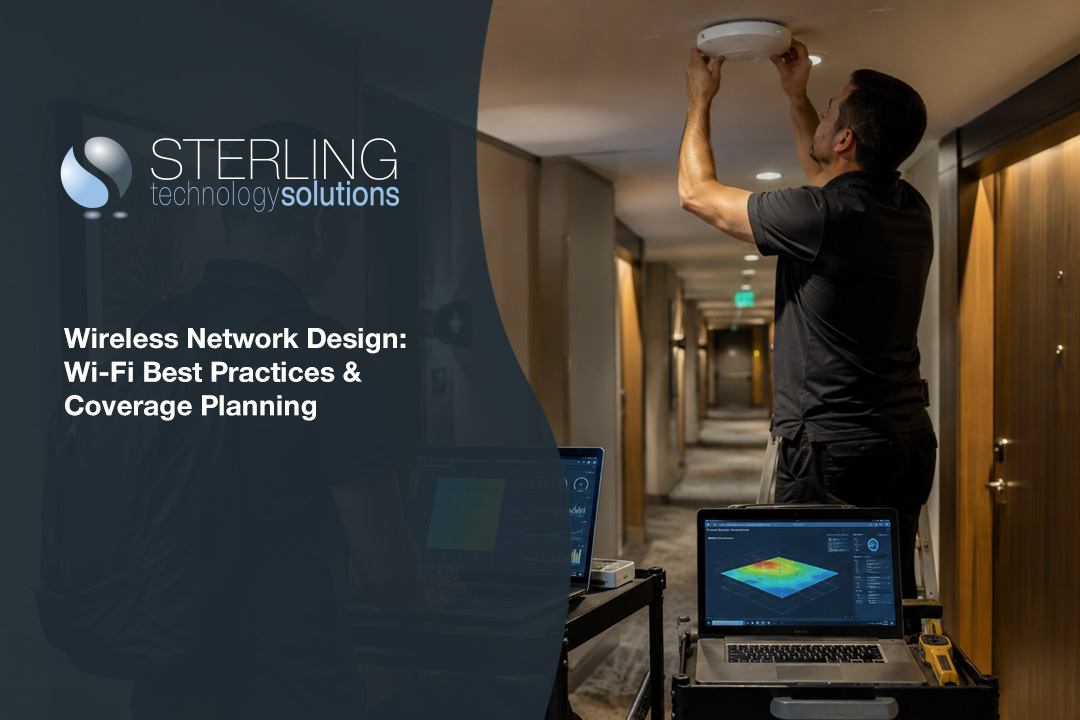
A reliable wireless network design is essential for businesses that want to support flexible work, mobile devices, and modern applications. In this blog, you'll learn the basics of wireless network design, common mistakes to avoid, and best practices for ensuring strong Wi-Fi coverage. We'll also cover the design process, how to plan for capacity, and what to consider during deployment. Topics like site survey, access point placement, and troubleshooting will help you understand how to create a network that fits your business needs.
Understanding wireless network design
Wireless network design is the process of planning and building a Wi-Fi system that meets your business’s needs. It involves choosing the right equipment, placing access points in the best locations, and making sure the network can handle your team’s devices and applications. Good design reduces dead zones, improves speed, and helps prevent downtime.
A well-designed wireless network supports your business as it grows. It can handle more users, new devices, and changing workspaces. By focusing on the basics—like signal strength, coverage area, and bandwidth—you can avoid common problems and keep your team connected.

Avoiding common mistakes in wireless network design
Even with the best intentions, businesses often run into trouble with wireless network design. Here are some key areas to watch out for:
Mistake #1: Ignoring coverage planning
If you don’t plan for full coverage, you’ll end up with weak spots where Wi-Fi drops or slows down. Always map out your space and think about where people will use their devices most.
Mistake #2: Overlooking capacity planning
It’s not just about coverage—it’s about how many devices your network can handle at once. Skipping capacity planning can lead to slow speeds and frustrated users, especially as your business grows.
Mistake #3: Skipping a site survey
A site survey helps you understand your building’s layout, materials, and sources of interference. Without it, you might place access points in the wrong spots, leading to poor performance.
Mistake #4: Not considering RF interference
Other electronics, thick walls, and even microwaves can interfere with your wireless signal. Make sure to check for sources of RF interference before finalizing your design.
Mistake #5: Using the wrong APs
Not all access points are created equal. Using consumer-grade APs in a business setting can limit your network’s reliability and coverage.
Mistake #6: Failing to test after deployment
Once your network is set up, test it in real-world conditions. This helps you find and fix any issues before they affect your team.
Essential features of a strong wireless network design
A solid wireless network design should include:
- Reliable coverage in all work areas, including meeting rooms and common spaces.
- Scalable capacity to support more users and devices as your business grows.
- Secure connections to protect sensitive business data.
- Easy management tools for monitoring and troubleshooting.
- Support for modern devices and applications, including VoIP and video calls.
- Flexibility to adapt to changes in office layout or business needs.

The role of wi-fi and access points in business networks
Wi-Fi is the backbone of most business networks today. It allows employees to move freely and connect from anywhere in the office. The placement and configuration of access points (APs) are critical to making sure everyone gets a strong, stable connection.
When planning your wireless design, consider the types of devices your team uses and how many connections each AP can support. The right mix of APs and careful placement can help avoid congestion and keep speeds high. Remember, building materials like concrete or metal can block signals, so adjust your design accordingly.
Steps for effective wireless network deployment
Getting your wireless network up and running takes careful planning. Here’s a step-by-step approach:
Step 1: Start with a predictive design process
Use predictive design tools to model your space and estimate coverage before installing any hardware. This saves time and helps avoid costly mistakes.
Step 2: Conduct a site survey
A physical site survey checks for real-world obstacles and interference. It helps you fine-tune your plan and ensures your APs are in the best locations.
Step 3: Select the right APs
Choose business-grade access points that support your required bandwidth and security needs. Make sure they’re compatible with your existing network.
Step 4: Configure your network settings
Set up your wireless network with the right security protocols, SSIDs, and VLANs. Proper configuration helps keep your network safe and efficient.
Step 5: Test for signal strength and coverage area
After deployment, test every area where people will use Wi-Fi. Adjust AP placement as needed to eliminate dead zones.
Step 6: Plan for ongoing troubleshooting
Monitor your network regularly for issues. Use management tools to spot problems early and keep your network running smoothly.

Practical considerations for wireless network design services
When working with wireless network design services, make sure they understand your business’s unique use case. Every office is different, and factors like building materials, number of users, and types of devices all affect your network’s performance.
A good provider will perform a thorough site survey, recommend the right equipment, and help you plan for future growth. They should also offer support for troubleshooting and upgrades, so your network stays reliable as your needs change.
Best practices for wireless network design
Following best practices can help you avoid common pitfalls and get the most from your wireless network design. Here are some tips:
- Always conduct a site survey before installing APs.
- Use business-grade APs for better performance and security.
- Plan for future growth by considering capacity and coverage needs.
- Regularly test and monitor your network for issues.
- Secure your network with strong passwords and up-to-date protocols.
- Document your design process for easier troubleshooting later.
By sticking to these best practices, you’ll build a wireless network that supports your team and grows with your business.

How Sterling can help with wireless network design
Are you a business with 20 to 80 employees looking for a better wireless network design? Growing businesses need reliable Wi-Fi that keeps up with new devices, flexible workspaces, and more demanding applications. If you’re struggling with slow speeds, dead zones, or frequent disconnects, it’s time to get expert help.
We understand the challenges of designing and maintaining a business-class wireless network. Our team offers wireless network design services tailored to your needs, from site surveys and AP selection to troubleshooting and ongoing support. Contact us today to see how we can help your business stay connected and productive.
Frequently asked questions
What is the difference between a wireless network and a wired network?
A wireless network uses radio waves to connect devices, while a wired network relies on physical cables. Wireless networks are easier to expand and allow more flexibility for users. Wired networks, on the other hand, can offer higher speeds and more stable connections in some cases.
When setting up a wireless network, you’ll need to consider the coverage area and potential sources of interference. Wired networks require planning for cable management and access points, but they don’t face the same signal strength challenges as wireless systems.
How does wireless network design impact wi-fi performance?
Wireless network design directly affects how well your Wi-Fi works. Good design ensures strong signal strength and consistent coverage throughout your workspace. Poor design can lead to dead zones, slow speeds, and frequent disconnects.
By carefully planning access point placement and considering building materials, you can avoid common issues. Regular site surveys and proper configuration help maintain high performance as your business grows.
Why is capacity planning important for growing businesses?
Capacity planning helps you determine how many devices and users your wireless network can support. Without it, your network may become overloaded, causing slowdowns and dropped connections.
As your business adds more employees and devices, capacity planning ensures your network can handle the increased demand. It’s a key part of the design process for any modern office.
What is RF and why does it matter in wireless design?
RF stands for radio frequency, which is the technology behind wireless communication. Understanding RF helps you design a network that avoids interference and maximizes coverage.
Factors like building materials and nearby electronics can affect RF performance. A good wireless design considers these elements to deliver reliable connections.
How does Ekahau help with wireless network design services?
Ekahau is a tool used by IT professionals to plan and optimize wireless networks. It helps with predictive modeling, site surveys, and troubleshooting.
By using Ekahau, wireless network design services can identify the best locations for access points and predict coverage before installation. This leads to more efficient deployments and fewer problems down the road.
What is coverage planning, and how can it prevent troubleshooting headaches?
Coverage planning involves mapping out where Wi-Fi is needed and making sure every area gets a strong signal. This step helps avoid dead zones and weak spots.
By focusing on coverage planning during the design process, you reduce the need for troubleshooting later. It’s a proactive way to keep your wireless network running smoothly.

Landon Carter
Outside of work I enjoy traveling with my wife and son, helping coach little league baseball teams, and cheering on the Carolina Panthers.


